Transcrito
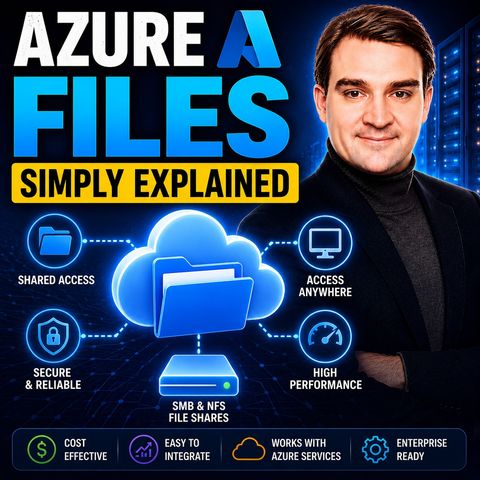
Azure Files - Simply Explained
17 de jul. de 2026 ·
15m 43s
Descarga y escucha en cualquier lugar
Descarga tus episodios favoritos y disfrútalos, ¡dondequiera que estés! Regístrate o inicia sesión ahora para acceder a la escucha sin conexión.
Azure Files - Simply Explained
Descripción
Aging file servers in a closet still cause failed backups, patch weekends and slow branch-office access for many small teams. This episode explains Azure Files for IT admins and small...
mostra más
Aging file servers in a closet still cause failed backups, patch weekends and slow branch-office access for many small teams. This episode explains Azure Files for IT admins and small businesses: how mounting via SMB and NFS works, what the new standalone file shares resource changes, and when Azure Files is the right choice.
In this episode
Key takeaways
Worth quoting
“Azure files is a cloud-based file share you can mount like a network drive with no server to manage, no hardware, no operating system updates, no backup schedules to lose sleep over.” – Mirko Peters (00:43)
“Third, there's no storage account key. Remember that all powerful key that gave access to everything gone. Authentication is identity based or through network rules.” – Mirko Peters (08:32)
Explore more on M365.FM
Follow and rate M365.FM in your podcast app, and join the free M365 community at m365con.net.
Become a supporter of this podcast: https://www.spreaker.com/podcast/m365-fm-microsoft-365-azure-cloud-power-platform-ai--6704921/support.
mostra menos
In this episode
- 00:00 – The file server problem
- 00:39 – What Azure Files is
- 01:43 – Pain of traditional file servers
- 03:33 – How it works: SMB, NFS and mounting
- 05:28 – The old way: storage accounts
- 07:22 – The new file shares resource
- 09:43 – When to use Azure Files
- 12:20 – Performance, security and cost
Key takeaways
- Azure Files is a fully managed cloud file share that you mount like a network drive over SMB or NFS, with no server, hardware or patching to manage.
- The new standalone file shares resource removes the storage account parent, giving each share its own limits, network rules, identity-based access and billing.
- Use Azure Files for lift-and-shift apps, shared configuration and hybrid caching with Azure File Sync, but not for databases or for collaboration that SharePoint and Teams already cover.
Worth quoting
“Azure files is a cloud-based file share you can mount like a network drive with no server to manage, no hardware, no operating system updates, no backup schedules to lose sleep over.” – Mirko Peters (00:43)
“Third, there's no storage account key. Remember that all powerful key that gave access to everything gone. Authentication is identity based or through network rules.” – Mirko Peters (08:32)
Explore more on M365.FM
- Episode page: the full episode with chapters, quotes and an FAQ on Azure Files
- Azure Files – the managed cloud file share this episode explains, including the new standalone file shares resource
- Microsoft Azure – the cloud platform hosting the file shares, from storage accounts to Azure File Sync and Defender
- SharePoint – named as the better fit when people co-author documents in real time
- Microsoft Entra ID – mentioned as Azure Active Directory for identity-based access to file shares instead of storage account keys
- Related episode: Azure Storage Accounts - Simply Explained
Follow and rate M365.FM in your podcast app, and join the free M365 community at m365con.net.
Become a supporter of this podcast: https://www.spreaker.com/podcast/m365-fm-microsoft-365-azure-cloud-power-platform-ai--6704921/support.
Información
| Autor | Mirko Peters M365, Azure & AI |
| Organización | m365 FM |
| Página web | www.m365.fm |
| Etiquetas |

Copyright 2026 - Spreaker Inc. an iHeartMedia Company

Comentarios