Transcrito
Power Automate - Simply Explained
21 de jul. de 2026 ·
13m 36s
Descarga y escucha en cualquier lugar
Descarga tus episodios favoritos y disfrútalos, ¡dondequiera que estés! Regístrate o inicia sesión ahora para acceder a la escucha sin conexión.
Power Automate - Simply Explained
Descripción
Repetitive tasks like copying data, forwarding approvals and sending the same emails eat hours every week. This beginner-friendly episode explains Power Automate in plain English for Microsoft 365 users, covering...
mostra más
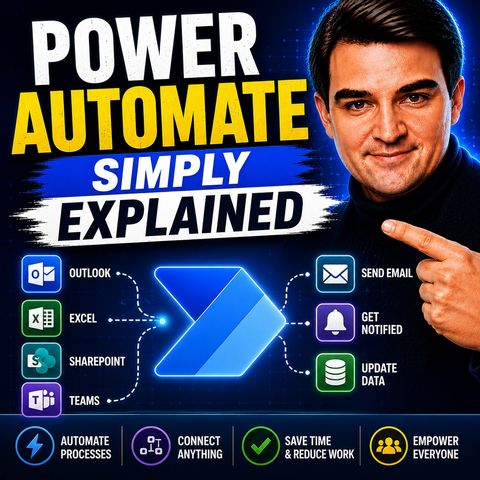
Repetitive tasks like copying data, forwarding approvals and sending the same emails eat hours every week. This beginner-friendly episode explains Power Automate in plain English for Microsoft 365 users, covering triggers, actions, connectors, cloud and desktop flows, and how to build your first flow in minutes without code.
In this episode
Key takeaways
Worth quoting
“Most people think power automate is complicated, but strip away all the marketing and technical jargon and it's really just when this happens, do that.” – Mirko Peters (03:14)
“The core engine is exactly the same for all three types. The only real difference is the trigger. Automated flows use event triggers. Instant flows use manual triggers. Scheduled flows use time triggers” – Mirko Peters (04:44)
Explore more on M365.FM
Follow and rate M365.FM in your podcast app, and join the free M365 community at m365con.net.
Become a supporter of this podcast: https://www.spreaker.com/podcast/m365-fm-microsoft-365-azure-cloud-power-platform-ai--6704921/support.
mostra menos
In this episode
- 00:00 – What Power Automate is
- 00:37 – The problem Power Automate solves
- 01:53 – Trigger plus action
- 03:27 – The three types of flows
- 05:01 – Connectors
- 06:35 – Cloud flows vs. desktop flows
- 09:57 – Real-world examples
- 11:31 – Your first flow in five minutes
Key takeaways
- Every Power Automate flow is a trigger plus one or more actions, and automated, instant and scheduled flows differ only in how the trigger fires.
- Hundreds of pre-built connectors let flows link Microsoft 365 apps like SharePoint, Teams and Outlook with third-party services, and custom connectors cover any system with an API.
- Cloud flows run on Microsoft's servers for modern services, while desktop flows use RPA to drive legacy applications by mouse and keyboard.
Worth quoting
“Most people think power automate is complicated, but strip away all the marketing and technical jargon and it's really just when this happens, do that.” – Mirko Peters (03:14)
“The core engine is exactly the same for all three types. The only real difference is the trigger. Automated flows use event triggers. Instant flows use manual triggers. Scheduled flows use time triggers” – Mirko Peters (04:44)
Explore more on M365.FM
- Episode page: the full episode with chapters, key quotes and a beginner FAQ
- Power Automate – the episode's subject, explained as a trigger plus actions across cloud and desktop flows
- Connector – the translators that let flows talk to SharePoint, Outlook, Teams and third-party services
- SharePoint – a frequent trigger and target, from saving form answers to document approval flows
- Microsoft Teams – where the example flows post alerts, approval notifications and a daily task summary
- Related episode: Power Automate Desktop - Simply Explained
Follow and rate M365.FM in your podcast app, and join the free M365 community at m365con.net.
Become a supporter of this podcast: https://www.spreaker.com/podcast/m365-fm-microsoft-365-azure-cloud-power-platform-ai--6704921/support.
Información
| Autor | Mirko Peters M365, Azure & AI |
| Organización | m365 FM |
| Página web | www.m365.fm |
| Etiquetas |

Copyright 2026 - Spreaker Inc. an iHeartMedia Company

Comentarios