Transcrito
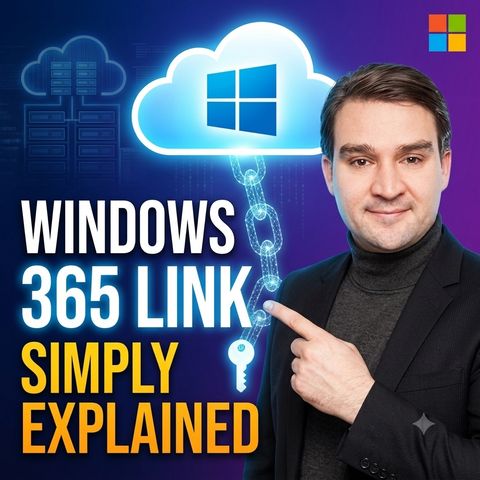
Windows 365 Link - Simply Explained
4 de ago. de 2026 ·
18m 43s
Descarga y escucha en cualquier lugar
Descarga tus episodios favoritos y disfrútalos, ¡dondequiera que estés! Regístrate o inicia sesión ahora para acceder a la escucha sin conexión.
Windows 365 Link - Simply Explained
Descripción
Windows 365 Link looks like a small PC but works very differently, and many teams misjudge where it fits. This episode helps IT administrators and decision-makers understand the device, Cloud...
mostra más
Windows 365 Link looks like a small PC but works very differently, and many teams misjudge where it fits. This episode helps IT administrators and decision-makers understand the device, Cloud PCs, Entra ID and Intune, and decide whether shared-desk and frontline scenarios justify a rollout.
In this episode
Key takeaways
Worth quoting
“Windows 365 link is a physical device built for one job, connecting you to a Windows 365 cloud PC. That definition matters because the device and the cloud PC are not the same thing.” – Mirko Peters (01:37)
“Intune manages the small link device at the desk while Windows 365 and Intune manage the actual cloud PC where the user works. One is the access point, the other is the working desktop.” – Mirko Peters (06:53)
Explore more on M365.FM
Follow and rate M365.FM in your podcast app, and join the free M365 community at m365con.net.
Become a supporter of this podcast: https://www.spreaker.com/podcast/m365-fm-microsoft-365-azure-cloud-power-platform-ai--6704921/support.
mostra menos
In this episode
- 00:00 – What Windows 365 Link is
- 01:34 – The device and the Cloud PC
- 04:48 – Sign-in with Entra ID, Intune management and Teams
- 08:21 – Security by design: TPM, secure boot, BitLocker
- 11:54 – Who it fits and who should skip it
- 16:05 – How the parts connect and three questions before rollout
Key takeaways
- Windows 365 Link is a purpose-built access device: the Windows desktop, apps and files run in a Windows 365 Cloud PC, while the box on the desk only connects the user to it.
- Entra ID handles identity, Intune manages the device and the Cloud PC, and Windows 365 provides the workspace, with TPM, secure boot, BitLocker and no local admin keeping the device locked down.
- The device fits shared desks, shift work and contact centers with reliable networks, but not offline, mobile or developer roles, and it does not work with Azure Virtual Desktop.
Worth quoting
“Windows 365 link is a physical device built for one job, connecting you to a Windows 365 cloud PC. That definition matters because the device and the cloud PC are not the same thing.” – Mirko Peters (01:37)
“Intune manages the small link device at the desk while Windows 365 and Intune manage the actual cloud PC where the user works. One is the access point, the other is the working desktop.” – Mirko Peters (06:53)
Explore more on M365.FM
- Episode page: the full episode with chapters, quotes and a rollout FAQ
- Windows 365 – provides the Cloud PC where the desktop, apps and files actually run
- Microsoft Intune – manages the Link device itself and, with Windows 365, the Cloud PC
- Microsoft Entra ID – checks the user's identity and access rules before the Cloud PC session opens
- Microsoft Teams – calls keep camera, microphone and headset media handled locally at the desk
- Related episode: Windows 365 or Azure Virtual Desktop: Choosing the Right Cloud PC Model
Follow and rate M365.FM in your podcast app, and join the free M365 community at m365con.net.
Become a supporter of this podcast: https://www.spreaker.com/podcast/m365-fm-microsoft-365-azure-cloud-power-platform-ai--6704921/support.
Información
| Autor | Mirko Peters M365, Azure & AI |
| Organización | m365 FM |
| Página web | - |
| Etiquetas |

Copyright 2026 - Spreaker Inc. an iHeartMedia Company

Comentarios